Keycloak on Azure Container Apps for about $40 a month
Having built a Keycloak lab that ran nicely in Docker on my laptop, I wanted the same realm running somewhere I could point a phone at — without standing up AKS, and without a monthly bill I would resent.
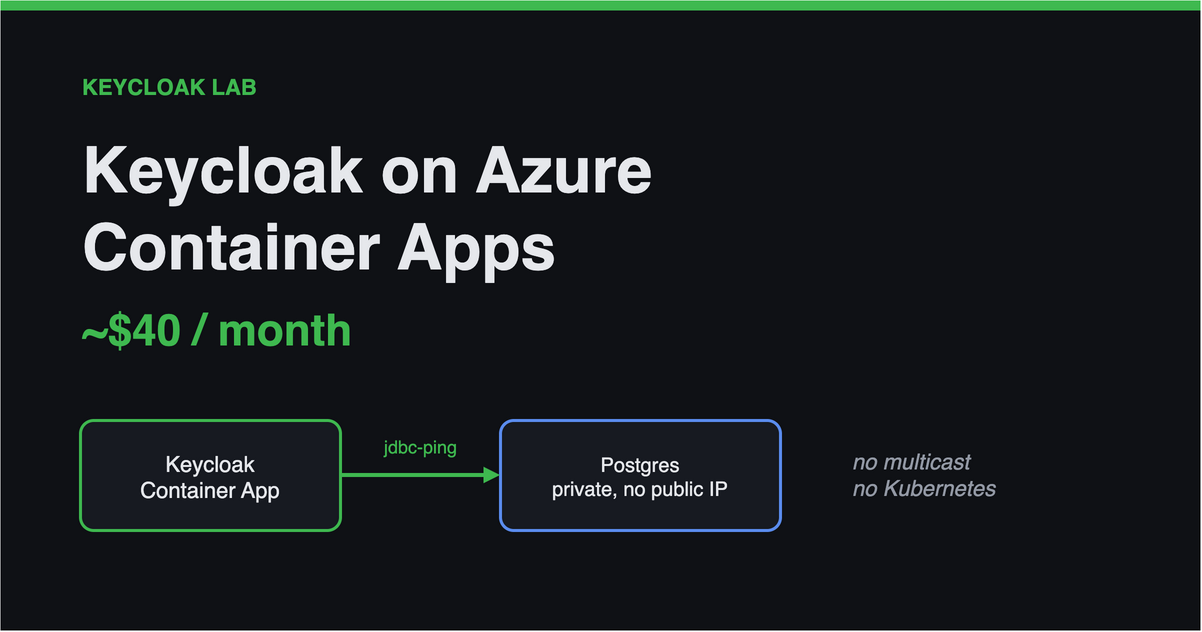
Azure Container Apps looked like the obvious home: managed, scale-to-configurable, no cluster to babysit. It mostly is. But Keycloak makes two assumptions about its environment that Container Apps quietly violates, and both of them fail in ways that do not mention Container Apps at all.
The problem: clustering and TLS termination
Keycloak clusters over multicast by default. Its Infinispan cache historically discovered peers using UDP multicast — which does not exist on Container Apps, or on most managed container platforms. Historically this is the reason Keycloak deployments end up on Kubernetes with a custom JGroups stack.
Container Apps terminates TLS for you. Your container receives plain HTTP on port 8080 with the original scheme and host in X-Forwarded-* headers. Keycloak, left to itself, believes what the request socket tells it — so it builds issuer URLs, redirect URLs and discovery documents from an internal hostname. Every OIDC client then breaks, and the error you see is an issuer mismatch in your API, several layers away from the cause.
Neither is hard to fix. Both are hard to diagnose, because nothing in the failure names the platform.
Clustering: jdbc-ping makes this viable
Since Keycloak 26.1 the default cache stack is jdbc-ping, and it is the single setting that makes this deployment possible. Nodes discover each other through a table in the database rather than multicast:
1
2
3
4
5
6
7
8
env {
  name  = "KC_CACHE"
  value = "ispn"
}
env {
  name  = "KC_CACHE_STACK"
  value = "jdbc-ping"
}
It is the default, but I set it explicitly, because it is the thing a future reader most needs to know is deliberate. It also means the database is a hard dependency for clustering, not just for storage — worth remembering when you size it.
TLS termination: three variables, all required
1
2
3
4
5
6
7
8
9
10
11
12
env {
  name  = "KC_HOSTNAME"
  value = local.issuer_base        # the PUBLIC https:// URL
}
env {
  name  = "KC_HTTP_ENABLED"
  value = "true"                   # the ingress speaks plain HTTP to the container
}
env {
  name  = "KC_PROXY_HEADERS"
  value = "xforwarded"             # trust X-Forwarded-Proto / -Host
}
These do different jobs, and it is worth separating them, because the intuitive reading — that the proxy setting is what produces https:// URLs — is wrong.
KC_HOSTNAME, set to a full https:// URL, is what fixes the advertised endpoints. The issuer, the discovery document, every redirect Keycloak builds. Miss it and Keycloak advertises the container’s internal name, and your API rejects perfectly good tokens with an issuer mismatch.
KC_PROXY_HEADERS changes none of those URLs once the hostname is a full URL. The hostname guide is explicit: with a full URL, “nothing is dynamically resolved from the X-Forwarded-* headers” — they determine the origin of the request. Which is why omitting it is worse than an error. Keycloak still decides two things from the socket’s peer address: whether the connection counts as secure, and who the client was. On Container Apps that peer is the ingress, on a private address — and SslRequired.EXTERNAL treats any RFC 1918 address as local, so the realm’s HTTPS requirement quietly evaluates to not required, and every login event and brute-force counter lands on one internal IP instead of the user’s.
Set both. The hostname fails loudly, a few layers away. The proxy headers fail silently, which is the one that should worry you.
There is a chicken-and-egg here worth calling out: KC_HOSTNAME must be the app’s public FQDN, but that FQDN only exists after the container app is created. The usual workaround is a two-pass apply. It is avoidable — default_domain is an attribute of the environment, which is created first, so the hostname can be derived before the app exists:
1
2
3
4
5
6
locals {
  # default_domain belongs to the ENVIRONMENT, which exists before the app does.
  default_fqdn = "${local.app_name}.${azurerm_container_app_environment.kc.default_domain}"
  hostname     = var.custom_domain != null ? var.custom_domain : local.default_fqdn
  issuer_base  = "https://${local.hostname}"
}
One apply, no bootstrapping dance.
And use start, never start-dev. Dev mode disables hostname and HTTPS checks, which means a misconfigured deployment will run happily while silently weakening both.
What it actually looks like
flowchart TB
Client(["Browser · mobile · desktop"])
subgraph kc["rg-docvault-keycloak · Keycloak itself"]
direction LR
KCAPP["<b>Keycloak</b><br/>Container App"]
PG[("Postgres Flexible Server<br/><i>private, delegated subnet</i>")]
KV["Key Vault<br/><i>admin + DB secrets</i>"]
LAW1["Log Analytics"]
end
subgraph lab["rg-docvault-lab · your applications"]
direction LR
API["<b>Your API</b><br/>Container App"]
ACR["Container Registry"]
LAW2["Log Analytics<br/><i>Sentinel opt-in</i>"]
end
Client -- HTTPS --> KCAPP
Client -- "HTTPS + Bearer" --> API
API -. "JWKS — validate tokens" .-> KCAPP
KCAPP --- PG
KCAPP -. "managed identity" .-> KV
KCAPP --> LAW1
ACR -. "AcrPull, no password" .-> API
API --> LAW2
Postgres has no public IP. It lives in a delegated subnet with a private DNS zone, reachable only from the VNet — no 0.0.0.0 firewall rule, which would otherwise admit every Azure tenant, not just yours. The container apps pull images and read secrets with a managed identity, so there is no registry password and no connection string in an environment variable.
Three things that surprised me
You get a third resource group you did not ask for. Something like ME_cae-keycloak_rg-docvault-keycloak_swedencentral, containing a load balancer and a public IP. That is expected: deploying a Container Apps environment into your own VNet makes Azure create a platform-managed group for the environment’s infrastructure. Its managedBy points at the environment and it is deleted along with it. Do not try to manage or remove it.
Postgres HA is not available on the Burstable tier. The cheap tier and high availability are mutually exclusive, and the error arrives at apply time after you have waited for other resources. A precondition catches it at plan time instead, which is the difference between a five-second failure and a five-minute one.
The database password alphabet matters. @ : / ? & all have meaning inside a JDBC URL. A generated password containing one produces an authentication error, which sends you to check credentials rather than parsing. Restrict the alphabet when you generate it.
While you are in that connection string: Azure Postgres rejects unencrypted connections, so sslmode=require is not optional — and omitting it surfaces as a generic connection error rather than anything mentioning TLS.
Set your region before the first apply
Everything defaults to swedencentral in my module, which is unlikely to be what you want:
1
export TF_VAR_location=westeurope     # or eastus2, australiaeast, ...
Do this before you deploy. Azure regions are immutable on nearly every resource here, so changing it later makes Terraform destroy and recreate everything, including the database. The plan will say # forces replacement, and it means it.
Static Web Apps are a special case — they exist in only five regions, so they need their own variable rather than following the rest.
What it costs
| Item | Approx. per month |
|---|---|
| Postgres B1ms + 32 GB | ~$19 |
| Keycloak container app (1 vCPU / 2 GiB, always on) | ~$22 |
| Key Vault, VNet, DNS, identities | ~$1 |
| Keycloak only | ~$40 |
| Your API container app (0.5 vCPU / 1 GiB) | ~$11 |
| Static Web Apps ×2 | Free tier |
| Everything | ~$55–60 |
About $1.30–2 a day, so a few days of experimenting costs less than lunch. The Keycloak container runs always-on rather than scaling to zero — a cold start on an identity provider is a bad experience, and it is the single biggest lever if you want the bill lower.
Microsoft Sentinel is off by default in my module, because it bills per GB analysed and is the least predictable line on that table. Keycloak’s events reach Log Analytics either way, so everything is collected and queryable without it; Sentinel adds the SIEM layer on top.
Try it, then delete it
1
2
3
4
5
git clone https://github.com/MagnusJohansson/keycloak-poc
cd keycloak-poc
export TF_VAR_location=<your region>
make azure-apply        # Keycloak on Azure
make seed-azure         # the SAME realm module that seeds the local lab
The second command is the one I find satisfying: it is the identical Terraform that configures the Docker container on my laptop, pointed at a different URL.
And when you are done:
1
make azure-destroy
Everything lives in resource groups the module created, so teardown is complete. If you deploy this, do tear it down — an internet-facing identity provider with demo users and a documented password is not something to leave running while you forget about it.
Earlier in this series: why your realm belongs in Terraform, the misconfigurations that never produce an error, and OAuth beyond the SPA.