How to fix the Azure Cloud Shell Storage Provider error: Storage fileshare subscription 'subscriptionID' is not registered to Microsoft.CloudShell Namespace
Outline
If Azure Cloud Shell reports that your storage fileshare subscription is not registered to the Microsoft.CloudShell namespace even though the resource provider is already registered, reset your Cloud Shell user settings. Open the Cloud Shell settings menu, choose Reset User Settings, and reconnect — Cloud Shell rebuilds its configuration and the error clears.
Suddenly, i got this error in my Azure Cloud Shell:
1
Storage fileshare subscription subscription ID is not registered to Microsoft.CloudShell Namespace. Please follow these instructions "https://aka.ms/RegisterCloudShell" to register. In future, unregistered subscriptions will have restricted access to CloudShell service.
Following the instructions in the link, I can see that the provider is already registered

Solution
As it turns out, resetting the User Settings in the Cloud Shell settings menu fixed the issue for me. 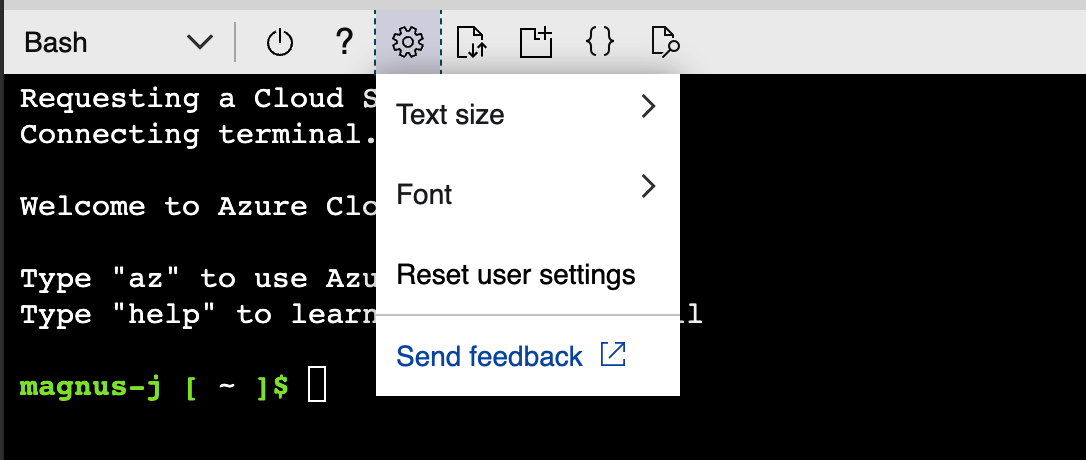
This post is licensed under CC BY 4.0 by the author.