I Built an MCP Server That Lets AI Control My Oscilloscope
What if you could just tell your oscilloscope what to do? Not through menus, not through a programming guide, not through some clunky remote desktop setup – but by typing plain English into an AI assistant?
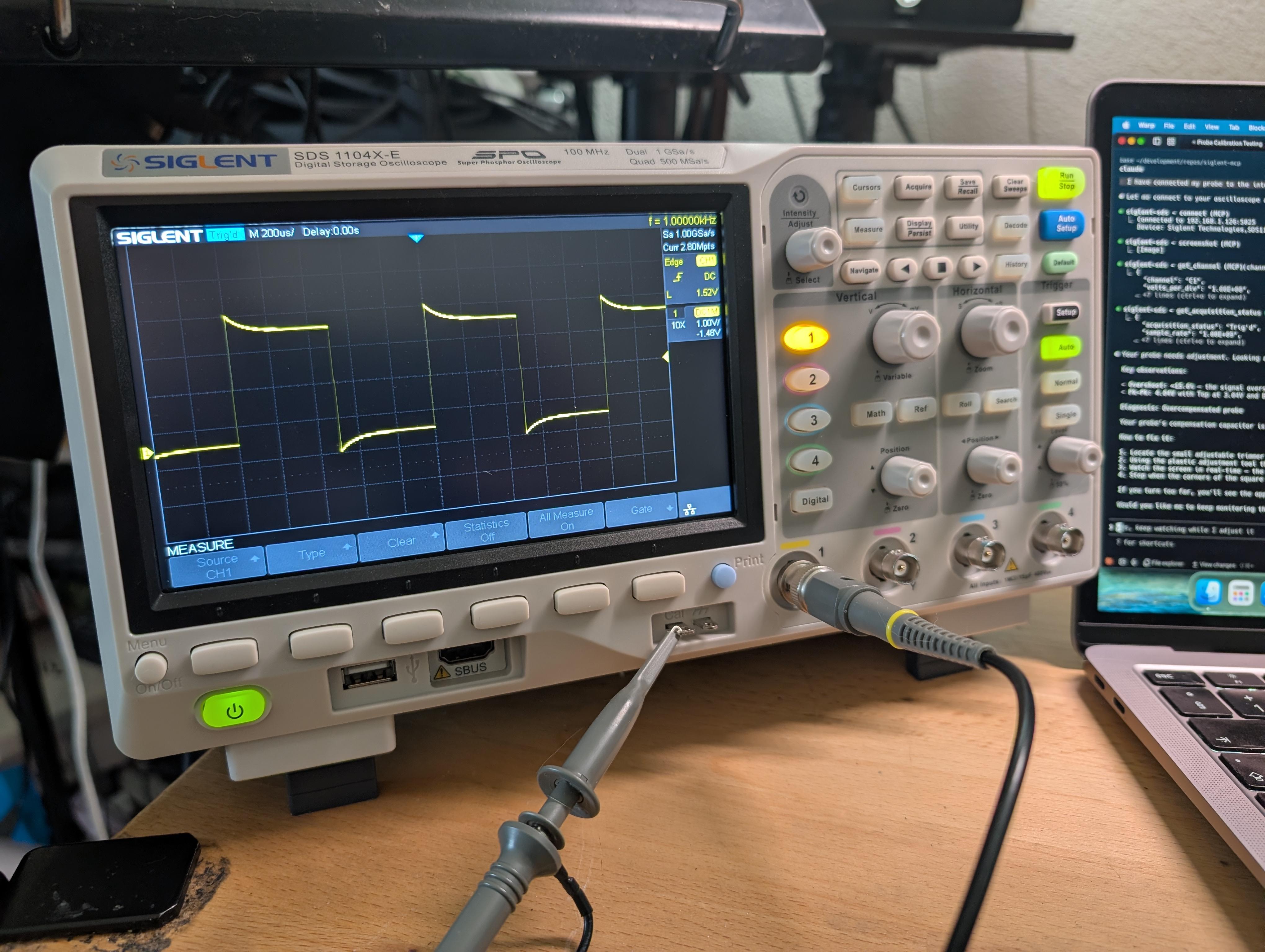
That’s exactly what I built. A Model Context Protocol (MCP) server that connects AI assistants to Siglent SDS oscilloscopes over your local network. You talk to the AI, and it talks to your scope.
What Is MCP and Why Should You Care?
MCP is an open protocol that gives AI assistants the ability to use tools. Think of it as a standardized way for an AI to reach out and interact with the real world – read files, query databases, call APIs, or in this case, control lab equipment.
The beauty of MCP is that the AI doesn’t just blindly forward commands. It understands what you’re asking for and figures out which tool calls to make. You say “measure the frequency on channel 2” and the AI translates that into the right SCPI commands behind the scenes.
The Architecture
The setup is surprisingly simple:
1
You <-- natural language --> AI Assistant <-- stdio/JSON-RPC --> siglent-sds-mcp <-- TCP/SCPI --> Oscilloscope
The MCP server connects to your scope over TCP on port 5025 – the standard SCPI port that Siglent scopes expose on the network. No VISA drivers, no NI-MAX, no special software. Just a network connection.
portfo## What Can It Do?
The server exposes 12 tools across 6 categories that cover the things you actually do with an oscilloscope:
Channels – Read or configure any of the 4 analog channels. Set volts/div, coupling, offset, bandwidth limit, probe attenuation – all through natural language.
Acquisition – Control the timebase, trigger settings, and run/stop state. “Set the timebase to 1 microsecond per division and trigger on the rising edge of channel 1 at 1.6 volts” just works.
Measurements – Take any of the 23 built-in measurements (frequency, peak-to-peak, RMS, rise time, duty cycle, and more) or enable statistical tracking to watch a measurement over time.
Waveform capture – Download actual voltage and time data from a channel. The AI receives the raw data points and can analyze the signal – identify the waveform shape, calculate frequency, spot anomalies.
Screenshots – Capture the scope’s display as a PNG image. The AI can see what you see on screen.
Raw SCPI – For anything not covered by the built-in tools, there’s an escape hatch that lets the AI send arbitrary SCPI commands directly.
What It Feels Like to Use
Here’s where it gets fun. Instead of navigating menus and remembering SCPI syntax, you just have a conversation:
You: Set up channel 1 for a 3.3V logic signal – DC coupling, 1V/div, trigger on the rising edge at 1.6V.
The AI configures the channel and trigger in a couple of tool calls. Done.
You: What’s the frequency and peak-to-peak voltage?
It measures both and reports back with the values.
You: Download the waveform and tell me what you see.
The AI grabs the waveform data, analyzes it, and describes the signal – “It’s a 1 MHz square wave with a peak-to-peak voltage of 3.28V, with some ringing on the rising edges.”
You: Take a screenshot.
You get the scope’s display rendered right in the chat.
The AI acts as a knowledgeable lab partner who can operate the scope for you while you focus on what matters – understanding your circuit.
Getting Started
Setup takes about 30 seconds. The fastest way is Docker:
1
2
3
4
5
6
7
8
9
10
11
12
13
14
15
{
  "mcpServers": {
    "siglent-sds": {
      "command": "docker",
      "args": [
        "run",
        "--rm",
        "-i",
        "-e",
        "SIGLENT_IP=192.168.1.126",
        "ghcr.io/magnusjohansson/siglent-sds-mcp:latest"
      ]
    }
  }
}
Drop that into your AI client’s MCP config (Claude Code, Claude Desktop, Cursor, Windsurf, or Google Antigravity all support it), replace the IP with your scope’s address, and you’re connected. There’s also an npx option if you prefer Node.js, or you can clone and build from source.
The server auto-connects to your scope on startup and internally queues all SCPI commands, so the AI can safely fire off multiple tool calls in parallel without overwhelming the instrument.
Compatibility
I’ve tested this on my SDS1104X-E, and it should work with the rest of the SDS1000X-E series. Other Siglent SDS models that support SCPI over TCP on port 5025 will likely work too – the command set is fairly standardized.
Some Interesting Technical Bits
A few things I had to solve that might interest fellow developers:
Voltage reconstruction – The scope returns raw ADC bytes, not voltages. The server converts them using the formula code * (vdiv / 25) - offset, handling two’s complement for signed values. The AI receives actual voltage and time arrays it can reason about.
Screenshot pipeline – Siglent scopes return screenshots as 16-bit RGB565 BMP files. The server manually parses the BMP headers, extracts the color masks, converts each pixel from 5-6-5 bit color channels to 24-bit RGB, and then uses sharp to produce a clean PNG.
Query serialization – Oscilloscopes can only handle one SCPI command at a time. The connection layer maintains an internal queue so that even when the AI issues multiple tool calls in parallel (which it likes to do), the commands are sent one at a time under the hood.
Try It Out
The project is open source under the MIT license:
github.com/magnusjohansson/siglent-sds-mcp
If you have a Siglent scope on your network, give it a try. And if you build something cool with it or get it working on a different model, I’d love to hear about it.